
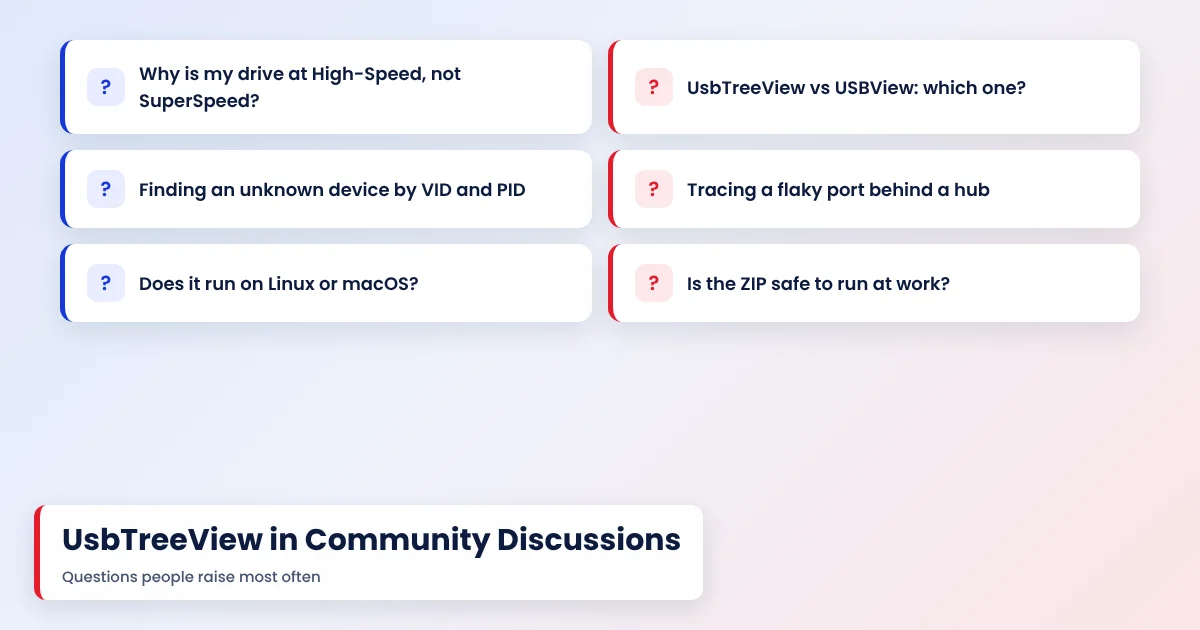
UsbTreeView Reddit searches usually come from people who want practical, experience-based answers rather than a product description. Across technical communities, a familiar set of topics keeps returning, and each has a clear explanation once you know where to look in the program.
Why People Bring UsbTreeView into Discussions
When a USB device misbehaves, someone helping in a forum thread often needs facts the original poster cannot see in Device Manager. Pointing them to UsbTreeView gives both sides the same detailed view of ports, hubs, speeds and descriptors.
That shared view turns guesswork into a focused conversation. Instead of trying random fixes, helpers can ask for a specific value from the details pane and narrow the cause down quickly.
Why Is My Drive Running at USB 2.0 Speed?
This is easily the most common topic. Someone buys a fast external drive, copies files and finds the speed disappointing. In UsbTreeView, the details for that drive show both the maximum speed it supports and the speed it is currently running at.
If a SuperSpeed device shows High-Speed as its current speed, the link has fallen back to USB 2.0. The usual suspects are a USB 2.0 cable, a slower hub in the chain or a front-panel port wired only for USB 2.0.
What Is This Unknown USB Device?
Another frequent question concerns a nameless entry in Device Manager. UsbTreeView displays the vendor and product IDs for that device, together with any manufacturer and product strings it provides.
Searching for those IDs usually identifies the maker and the product. Recent versions even include a context menu option to search online for a device, which saves copying the values by hand.
UsbTreeView or USBView?
People often ask which tool to use. Microsoft's USBView is sample code designed for driver developers, while UsbTreeView started from that sample and adds child devices, drive letters, COM ports, search, safe removal and many extra decoders.
For everyday diagnosis, UsbTreeView usually answers more questions in fewer clicks. USBView remains valuable for anyone studying how USB enumeration works at the source code level.
Is It Safe to Run at Work?
Workplace users regularly ask whether a small portable tool might cause trouble. UsbTreeView is a viewer that changes nothing unless you pick an action such as safe removal or a port restart, and its licence allows commercial use.
The bigger question is usually company policy. Many organisations restrict portable executables, so the practical answer is to download it from the author's page and check with IT before running it on managed devices.
Which Port on My Motherboard Is Which?
Builders and upgraders often want to know which physical sockets connect to which controller. Plugging a device into each port in turn and watching where it appears in the tree builds a reliable map of the machine.
Version 4.8.0 added the ability to rename USB ports, so that map can live inside the program itself. Labels such as Front Left or Rear Blue Top make future troubleshooting much faster.
Tips for Asking a Good USB Question Online
Helpers can only work with the information you give them. A few details turn a vague post into one that gets accurate answers on the first reply.
- State your Windows version and the UsbTreeView version from the title bar
- Paste the relevant section of the details pane as text, not only a screenshot
- Describe every cable, hub and dock between the device and the PC
- Remove serial numbers and volume names if you prefer to keep them private
| Value to include | Why helpers ask for it |
|---|---|
| Speed and maximum speed | Reveals USB 2.0 fallbacks |
| Port Chain | Shows the hubs in the path |
| Vendor and product IDs | Identifies the exact device |
| Connection Status | Shows whether enumeration failed |
Reading Advice Critically
Community answers vary in quality, and USB problems invite plenty of guesswork. Advice backed by specific values from UsbTreeView, such as a current speed or a connection status, is usually far more reliable than general suggestions to reinstall drivers.
When two replies disagree, ask for the evidence behind each one. A helper who can point to a particular field in your report is working from the same facts you are, which makes their suggestion easier to test.
Turning Answers into Repeatable Fixes
Once a thread solves your problem, note which value changed after the fix, for example the current speed rising from High-Speed to SuperSpeed. That before-and-after reading becomes a reliable test you can repeat whenever the issue returns.
Saving an XML report from the working state is useful too. If the problem reappears months later, loading that report alongside a fresh one shows exactly what has changed in the tree.
Common Misunderstandings
A frequent misunderstanding is that UsbTreeView repairs devices. It shows information and offers a few actions such as safe removal and port restarts, but it does not install drivers or fix hardware faults on its own.
Another is confusing link speed with transfer speed. A device connected at SuperSpeed can still copy slowly if its own storage is slow, so readings should be interpreted alongside real-world tests.
Frequently Asked Questions
Where do people discuss UsbTreeView?
It comes up in general technical communities, including Reddit, hardware forums and IT support groups, usually as a recommended tool within threads about USB problems rather than as a topic of its own.
Should I trust download links shared in forum posts?
Follow links only when they lead to the author's page at uwe-sieber.de. Re-hosted copies may be outdated or altered, and the licence does not allow distribution through downloader programs.
Can I post a full UsbTreeView report publicly?
You can, but reports may contain serial numbers and volume labels. Removing those details first keeps your privacy intact without losing anything helpers need for diagnosis.
Conclusion
UsbTreeView Reddit discussions and forum threads tend to circle the same practical issues: slow drives, unknown devices, tool comparisons and workplace safety. With the right values from the details pane, each of these becomes a quick, evidence-based conversation rather than a long series of guesses.