
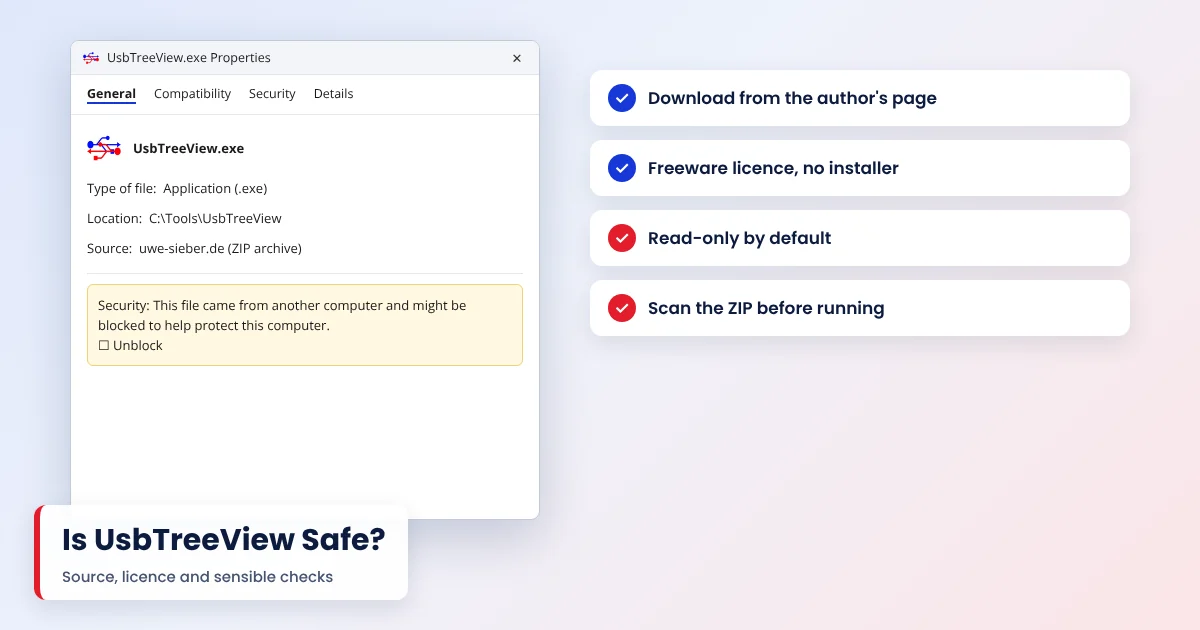
Is UsbTreeView safe to run on a home or work PC? It is a fair question for any utility that reads deep hardware information, and the answer depends mostly on where the file comes from and how you use the few actions in the program that actually change something.
What UsbTreeView Actually Does
UsbTreeView is a viewer. It asks Windows device management and the USB hub drivers what is connected, then presents the answers as a tree with detailed reports. It ships as a single executable inside a ZIP archive, with no setup program, no background service and no driver of its own to install.
Browsing the tree, expanding hubs and reading descriptors leaves your system untouched. That read-only behaviour is why the tool is popular with support staff, who can look at a problem machine without worrying that the diagnosis itself will make matters worse.
Actions That Do Make Changes
A handful of commands do alter the state of a device, and each one only runs when you choose it deliberately from a menu:
- Safe removal of a device, the same as the Windows eject function
- Restarting a device or restarting a USB port
- Deleting an entry from the Bluetooth device list
- Renaming a device or, in version 4.8.0, renaming a USB port
Where the Real Risk Lies
For a small, read-only utility, the main risk is the file rather than the program. Popular freeware is often re-hosted on download portals, sometimes wrapped in installers that add unrelated offers. UsbTreeView's licence does not allow distribution through such downloader programs, nor any modification of its files.
Old copies are a quieter problem. A build from several years ago may still run, yet it misses fixes for crashes, wrong readings and newer hardware. Getting the current archive from the author avoids both issues at once.
Signs of a Doubtful Download
- An installer such as setup.exe or an MSI where you expected a plain ZIP archive
- A download manager that asks you to accept extra software
- A file far larger than the roughly half-megabyte official archives
- A version number that does not appear in the developer's history
How to Download UsbTreeView Safely
Open Uwe Sieber's UsbTreeView page at uwe-sieber.de and choose the archive that matches your system: x64, Win32 or arm64. Save it, scan it with your security software and only then extract it to a folder of your choice.
| Check | Why it matters |
|---|---|
| Source address is uwe-sieber.de | The author controls the files offered there |
| File is a ZIP of about half a megabyte | Matches the official packaging |
| Version matches the history page | Confirms you are running a current build |
| Antivirus scan comes back clean | Helps catch tampered or bundled copies |
Understanding Windows SmartScreen Prompts
Files downloaded from the internet carry a marker that Windows uses to decide whether to warn you. SmartScreen may show a message for less common programs, and that message reflects how widely a file is known rather than proof of anything harmful inside it.
When the archive came from the author's page and passed your scan, you can proceed. Alternatively, right-click the ZIP before extracting, open Properties and tick Unblock, which removes the internet marker from the files you extract afterwards.
Using UsbTreeView Without Causing Problems
The commands that change device state deserve a moment's thought. Safely removing the wrong drive interrupts any open files on it, and restarting a port briefly disconnects whatever is plugged in, which could include your keyboard, mouse or even the stick you are running the program from.
- Read the device name and port chain before choosing any action
- Close documents stored on a drive before removing it
- Avoid restarting ports that serve your input devices or system disk
- Save your work first when experimenting on a production machine
Running It on Company Computers
The licence explicitly allows use in commercial environments. Many organisations still restrict portable executables through application control policies, so ask your IT department before carrying the tool from machine to machine on managed hardware.
Handling the Information It Shows
Device reports can include serial numbers, volume labels and identifiers that tie hardware to a particular user. That is useful for diagnosis but worth treating with care when you paste reports into public forums or tickets visible to many people.
Removing serial numbers before sharing is a quick habit that loses nothing important for troubleshooting. Vendor and product IDs, speeds and descriptor values are what helpers usually need, and they reveal very little about you.
Keeping Your Copy Trustworthy Over Time
A clean download today can still become a problem later if it sits unchanged for years. Older builds miss fixes for crashes and decoding errors, and on newer hardware they may display incomplete information that leads you to the wrong conclusion.
Checking the developer's history page every few months and replacing the executable when a new version appears keeps the tool both accurate and trustworthy. Because there is no installer, the update takes less than a minute and leaves your saved settings untouched.
Questions to Ask Before Running Any USB Utility
The same habits that make UsbTreeView a sensible choice apply to every small diagnostic tool you meet. Asking a few simple questions before you run a program protects your PC far more effectively than any single scan.
- Does the download come straight from the developer's own website?
- Does the package match what the developer describes, such as a plain ZIP archive?
- Is the version current according to the developer's release notes?
- Do you understand which commands change device state before you click them?
What the Licence Tells You
Published licence terms are a good sign for any freeware. UsbTreeView's terms state plainly what you may do, such as using it commercially or distributing the original archives, and what you may not do, such as modifying files or offering them through downloader programs.
Those rules exist precisely to keep copies consistent with the author's release, which works in your favour when judging whether a file is genuine.
Conclusion
Is UsbTreeView safe for everyday use? Taken from the author's official ZIP and scanned like any other download, it is a small read-only viewer that changes nothing unless you ask it to. Treat its device actions with the same care you would give the Windows eject button, and share reports thoughtfully.